Back to blog
Blog
End the booking chaos today.
30-day free trial. No credit card required.
Blog
30-day free trial. No credit card required.
The club website has a page called "Rent the clubhouse". At the very bottom sits a link: "Go to booking". Whoever clicks it lands on an unfamiliar address, and some people never click at all.
You can put the booking page straight into your website instead, so the availability calendar sits in the middle of your own page, with your menu above it and your legal notice below.
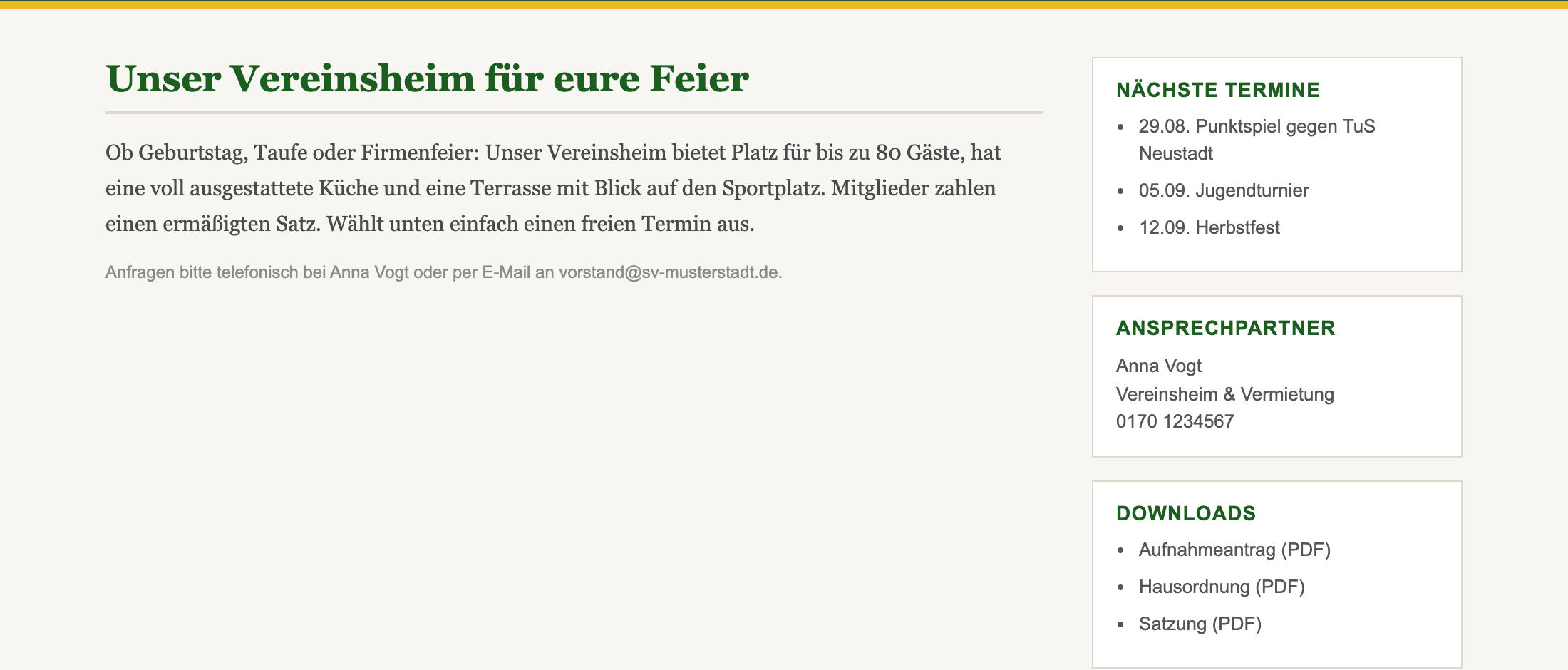
This is what many club websites look like. The text describes the clubhouse, and the booking itself happens somewhere else, usually on the phone.
Embedded, the booking page looks slightly different from a direct visit. The header with the logo and the light/dark toggle disappears, since your own site header already sits above it. What remains is the content: the resources with their status, the calendar, the form and a one-line footer with the legal notice and privacy links.
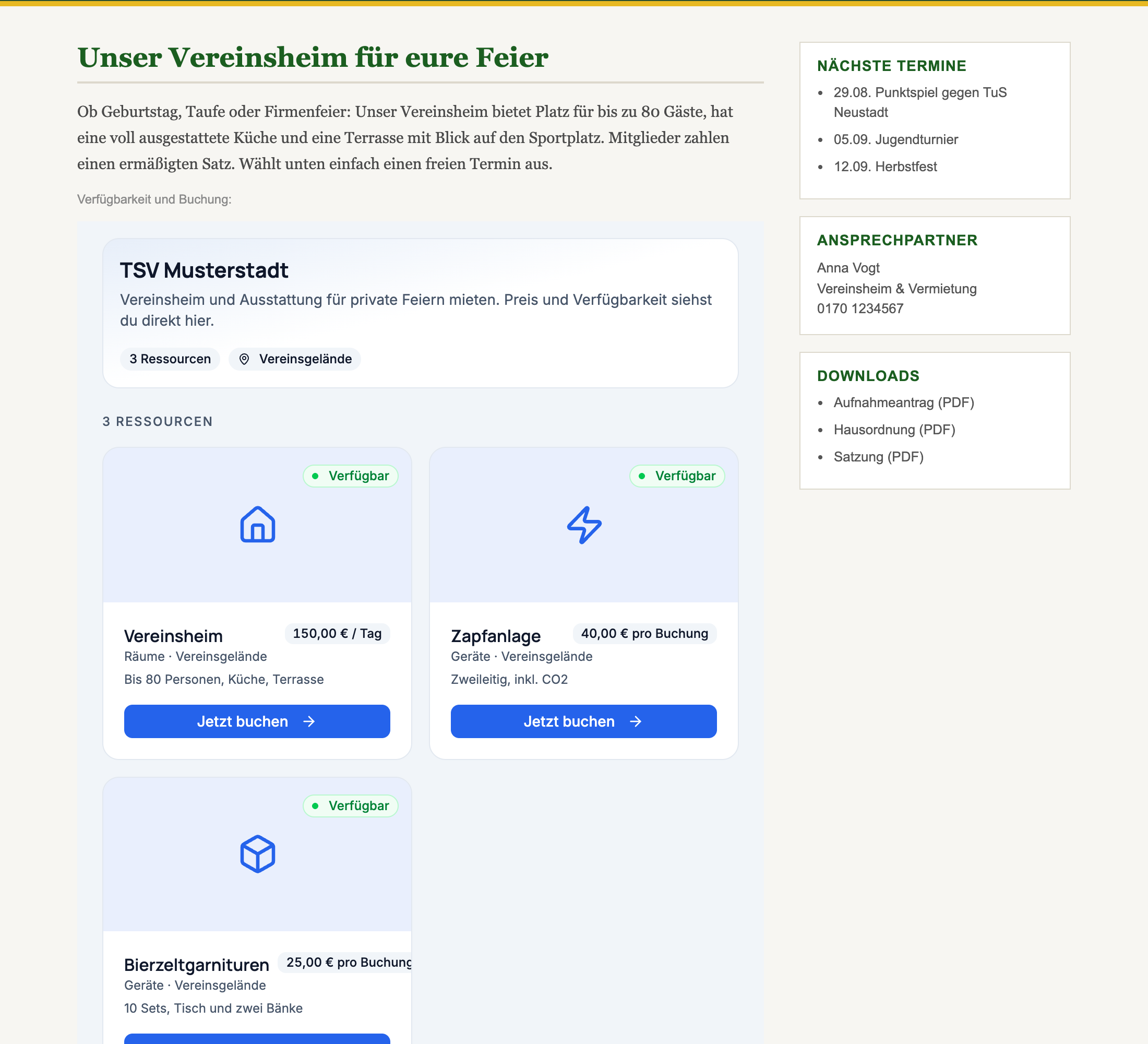
The whole booking stays inside your frame. Someone taps "Book now", picks a day and time, enters a name and email and submits, and the address in the browser never changes. To the visitor it is part of your site.
The code has two parts. The first is an iframe, the frame your booking page runs in. The second is a short script block that adjusts the frame's height to its content.
If you have several booking pages, say one for rooms and one for equipment, grab the code for each one separately. Several frames on the same page are fine, the script handles each one on its own.
The exact steps depend on your system, but the principle is always the same: you need an element that accepts raw HTML.
WordPress. Edit the page, click the plus in the block editor and add the Custom HTML block. Paste the code and update the page. In the classic editor, switch to the Text tab and paste it there, not in visual mode.
For sites hosted on wordpress.com, the smaller plans strip iframe and script from custom HTML. There, only the link works. A self-hosted WordPress installation has no such restriction.
Jimdo. In edit mode, add a new element where you want it and choose Widget / HTML. Paste the code and save.
Wix. Click Add Elements on the left, then Embed and Embed HTML. In the box that appears, select Code and paste. Wix creates the frame as a separate element with a fixed size, so drag it to the height you want once.
Typo3, Joomla, Contao and others. Look for the element for free HTML content, often called "HTML", "source" or "raw text", and paste the code there.
Then view the page, once on a desktop and once on a phone. The frame should show the availability calendar and be roughly as tall as its content.
An iframe has no idea how tall its content is. Without help you get either a frame that is too short, with its own scrollbar inside, or one that is too tall, with a lot of empty space below.
That is what the small script block is for: the booking page reports its actual height to the frame whenever its size changes, and the script adjusts the frame to match. When someone opens the booking form, the frame grows with it; when something collapses, it shrinks again. The script only accepts these messages from the Dispoly address, so other sites cannot feed anything into your frame.
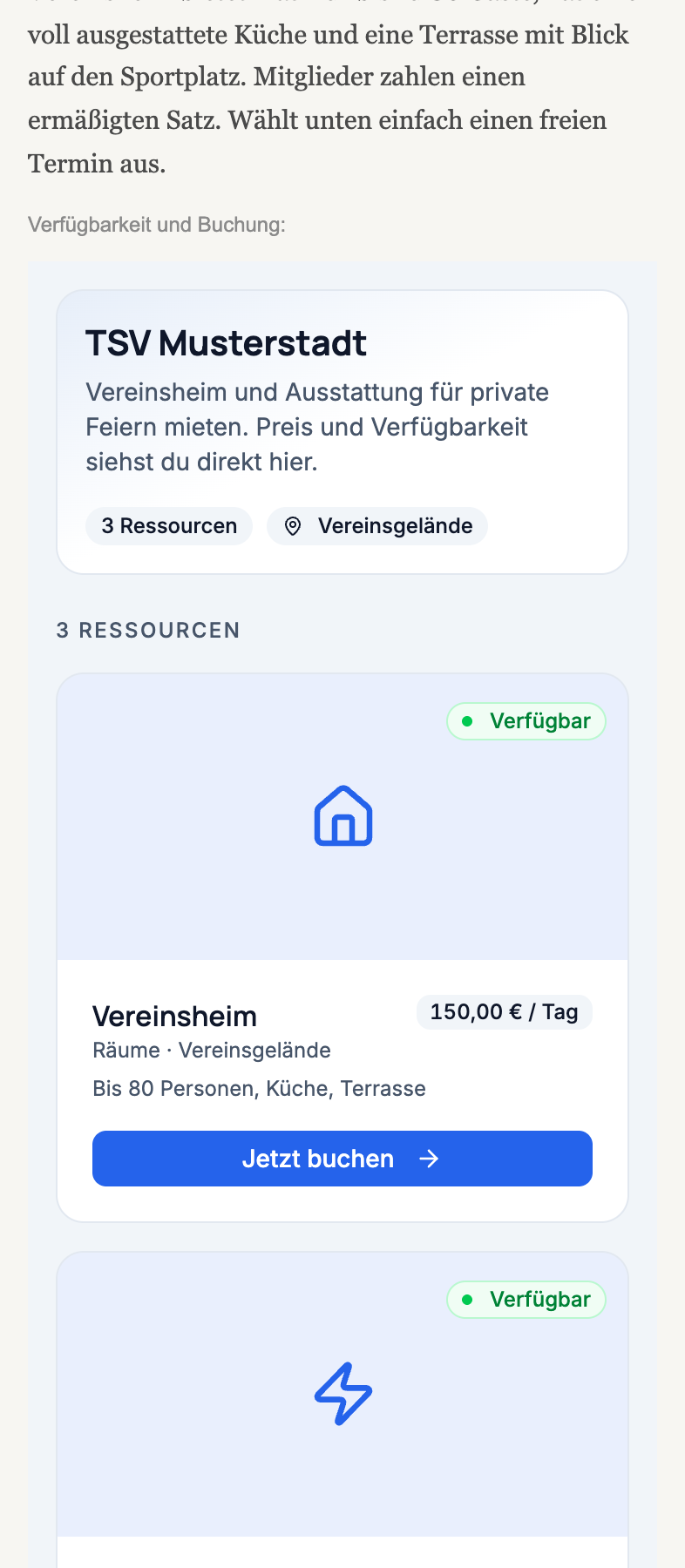
This pays off on phones, where a second scrollbar in the middle of the page is especially annoying. The frame takes the full width of the content area and grows with the form.
If your system does not allow scripts, drop the script block and keep only the iframe. You then have to set the height yourself, via the height attribute in the code. The dialog defaults to 700 pixels. Set it more generously, around 1000 or 1200, otherwise the frame gets its own scrollbar during booking. The embed dialog also shows a note about this.
The embedded booking page shows no consent dialog of its own. In this mode it loads no analytics tools and records no sessions; it only processes what the booking itself needs. Your visitors do not get a second banner in the middle of your page. What data is involved is covered in GDPR and booking data.
The booking page also stays reachable at its own address. You can keep sharing it in the group chat, in the member newsletter or as a QR code on the door. Both show the same availability calendar.
The frame stays empty or white. Usually something on your own site is blocking the frame, typically a privacy plugin that blocks all third-party content until someone consents. Look for an allowlist in the plugin's settings and add dispoly.net.
The code shows up as text on the page. Then it went into the visual editor instead of the HTML element. In WordPress, that is the difference between the Paragraph block and the "Custom HTML" block.
The frame is too short and has its own scrollbar. The script block is missing or was stripped by your system. Either put the script back or increase the height attribute.
It does not fit on the phone. Check whether your theme makes the content area narrower than it needs to be. The frame is set to width:100% and takes whatever width you give it.
That is all it takes. Afterwards your own website answers the question people would otherwise ask by phone, and nobody has to leave your site for it.
How this looks for clubs as a whole is on the clubs solution page, and for local government on the municipalities page. You can try Dispoly free for 30 days, with no contract and no payment details.