Back to blog
Blog
Drill nights and training schedules: setting up recurring blocked periods
Dispoly Team
End the booking chaos today.
30-day free trial. No credit card required.
Blog
30-day free trial. No credit card required.
Drill night is every Tuesday at 6 p.m. Has been for years. Still, every few weeks someone asks whether the hall is free on Tuesday evening, and someone has to answer.
That's not the people's fault. The fixed slot simply isn't written down anywhere. It only exists in the heads of those who have been around long enough.
Recurring blocked periods solve this. Set up once, the slot is visible and blocked for the whole season, without anyone entering it week after week.
Both block the resource, but they are meant for different things.
A booking is a specific use by a specific person: name, time frame, purpose. It can be requested, confirmed, or rejected, which is how you avoid double bookings.
A blocked period is a statement about the resource itself: during this time it is not available. No name, no approval needed. That's exactly right for training slots, drill nights, maintenance, school holidays, or public holidays.
Rule of thumb: if you can't sensibly answer the question "who booked this?", or don't want to, it's a blocked period.
The end date can be at most two years in the future. That's rarely a real limitation, quite the opposite: a season or a calendar year is the more sensible time frame anyway, because training schedules change more often than you'd think.
Blocked times show up on the public booking page immediately. In the month view, affected days get a marker, and the legend below explains what it means: partially booked, fully booked, or blocked.
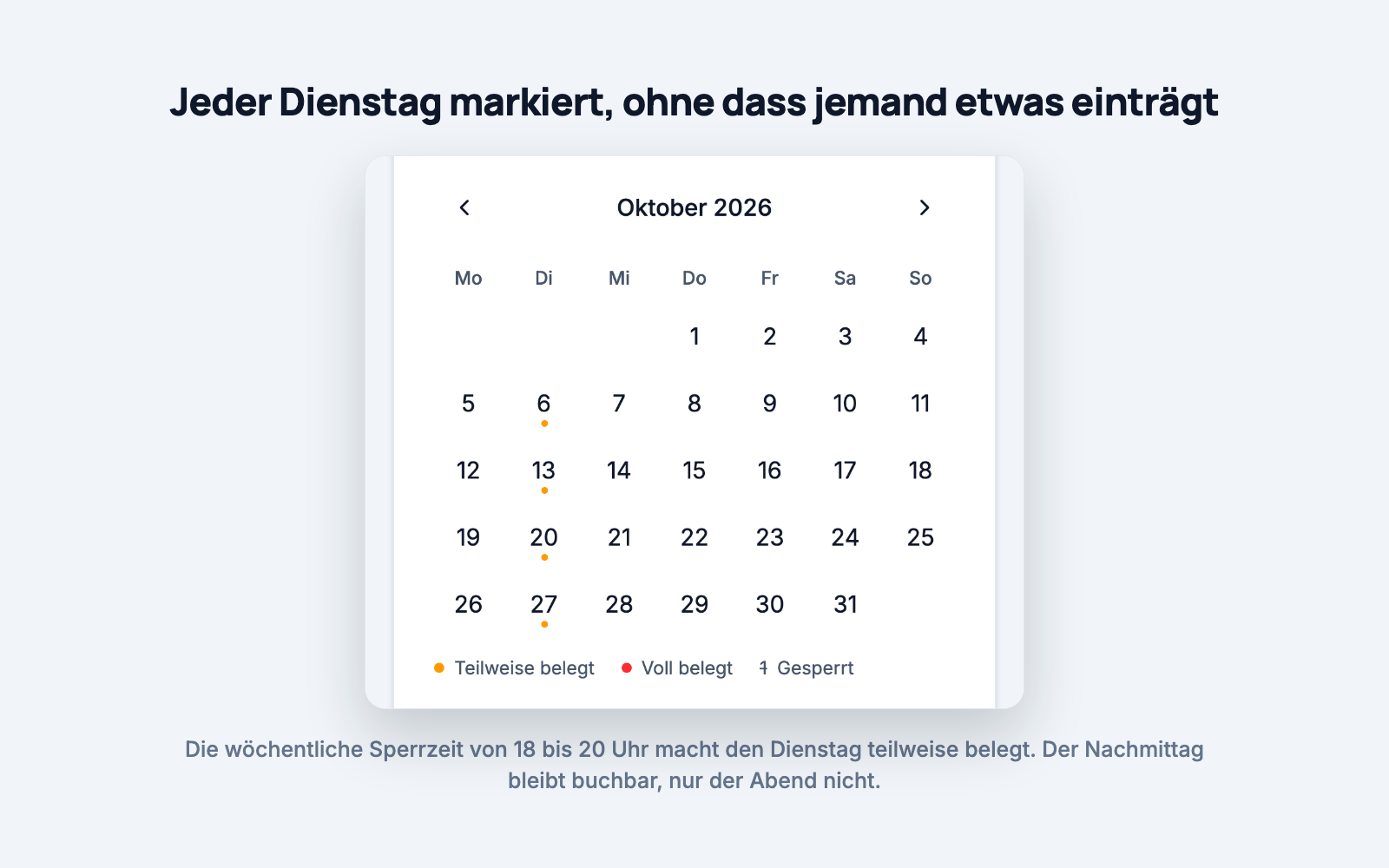
Tapping a day opens the time band with the free windows in it. On a Tuesday with training from 6 to 8 p.m., the afternoon stays bookable, only the evening doesn't. That's the advantage over an all-day block: you block exactly as much as is actually in use.
If a resource is blocked entirely, that's stated right on the resource card, including until when.
For each booking page, you decide whether visitors may submit a request even though the time is blocked.
Allowing requests makes sense when exceptions happen. If training is cancelled during the school holidays, someone can still request the hall, and you decide. You don't lose a rental just because a rule is in the way.
Blocking requests makes sense when the block really is non-negotiable, say for maintenance, or when the vehicle is at the garage. Then there's no discussion about it either.
Training slots shift, departments swap times. When you delete a series: future blocked periods are removed, past ones are kept. Your history stays intact, and you can still see afterwards when the hall was in use over the past six months.
In practice: if the training schedule changes in January, you end the old series and set up a new one. There's nothing to clean up retroactively.
A side note that matters in autumn: the time is stored as wall-clock time. After the clocks change in October, training is still at 6 p.m., not suddenly at 5 or 7.
For distributing the training slots themselves, meaning who gets which one, there's a separate post: Allocating sports hall slots after the summer break.
Fixed dates don't belong in individual people's heads, they belong in the schedule. A recurring blocked period takes two minutes to set up and then answers the same weekly question on its own.
And if you want to see the schedule in your own calendar too, subscribe to the resource's calendar feed. Then the drill night also shows up where everyone looks anyway.
Trying it out costs nothing: no contract, no setup fee, free for 30 days.