End the booking chaos today.
30-day free trial. No credit card required.
30-day free trial. No credit card required.
The seminar room is booked, so is the club minibus. But in the morning nobody looks at the booking calendar, they look at their own calendar. And there, none of it shows up.
So someone starts copying appointments over by hand. Now there are two versions again, and sooner or later they contradict each other. This is exactly what you can switch off: every resource can publish its bookings as a calendar feed that you subscribe to once. After that, new bookings appear on their own.
This post shows how to set it up, and is honest about the limits. Above all about how quickly such a subscription actually refreshes.
A feed is a subscription, not a copy. Your calendar periodically asks Dispoly whether anything has changed and shows the current state.
Two things follow from that:
It is a one-way street. Bookings flow from Dispoly into your calendar, not back. If you move an event in your calendar, the booking does not change. Booking and cancelling still happen in Dispoly.
It is per resource. Every vehicle and every room gets its own feed. That sounds fiddly, but it is practical: the caretaker subscribes to the clubhouse, the motor pool team to the vehicles, and nobody ends up with a calendar full of events that are none of their business.
Next to it there is Open in calendar app. That is a direct link many programs accept as a subscription straight away. On a Mac or an iPhone it usually works on the first try; in other setups the copied link is the more reliable route.
The menu items differ slightly between versions, but the principle is the same everywhere: you are looking for the option to subscribe to a calendar by web address, not the one to import a file. An import is a one-time snapshot, a subscription keeps itself up to date.
Google Calendar. Open it in a browser on a computer, click the plus next to "Other calendars" on the left, choose From URL, and paste the link. This does not work in the phone app; the calendar only shows up there after you have added it on a computer.
Apple Calendar. On a Mac, choose New Calendar Subscription from the File menu and paste the link. The program then asks how often it should refresh. Set it to the shortest value offered. On an iPhone, the same route is in Settings under Calendar, Accounts, Add Account, Other, Add Subscribed Calendar.
Outlook. In the web version, click Add calendar in the calendar view, then Subscribe from web, and paste the link.
This is where most guides go quiet, and exactly where the disappointment comes from later.
The feed tells your calendar to check back hourly. Whether it actually does is up to the calendar, not Dispoly.
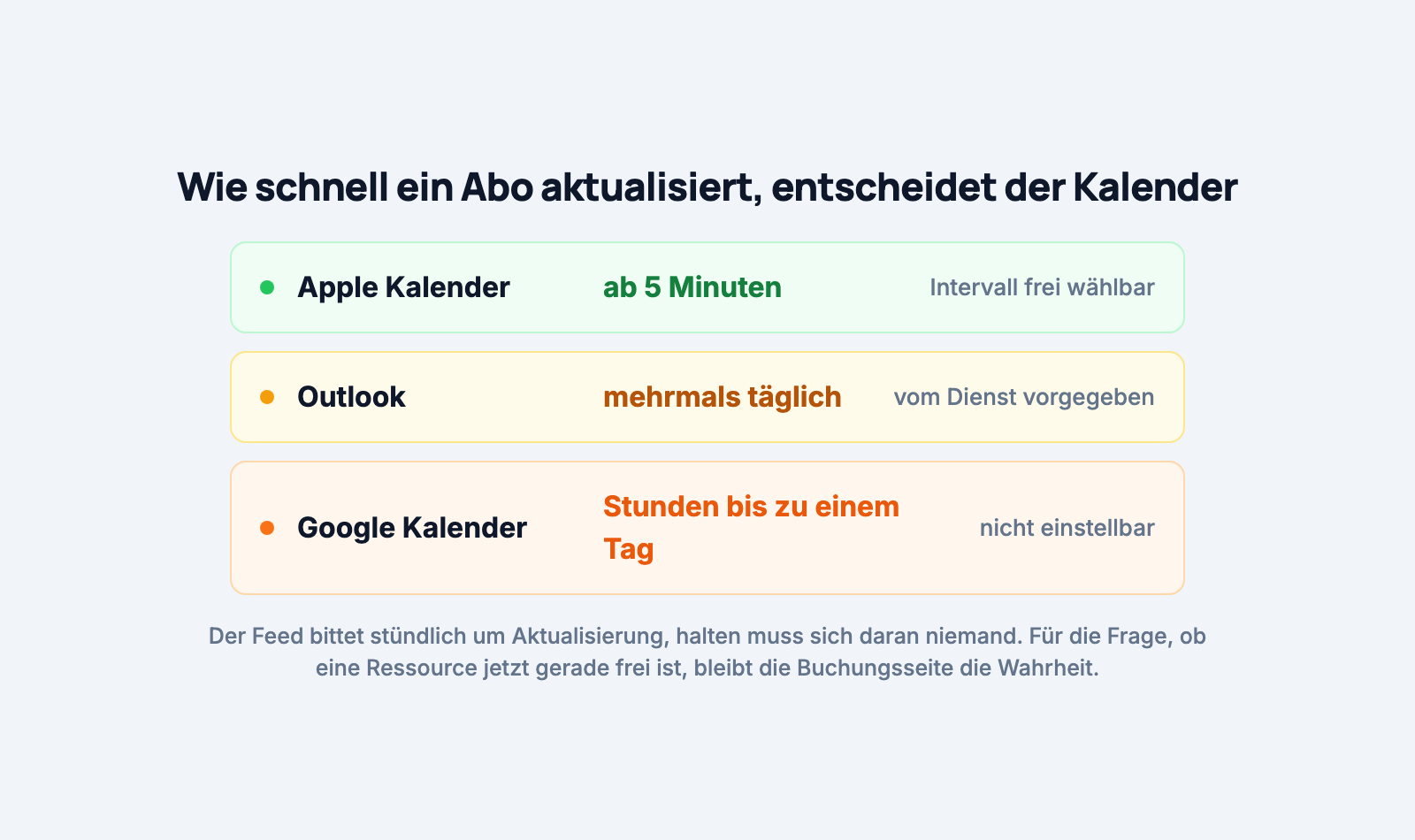
In practice this means: the feed is excellent for keeping an overview. Who has the minibus this week, when is the hall in use. It is not suited to checking at the last second whether a vehicle is free in ten minutes. For that question, the booking page remains the truth, because it shows the state of right now.
Tell your team this clearly once, and the trust stays intact.
Every booking becomes an event named after the person who booked and the resource, so something like "Lena Hoffmann – Seminar room". The note from the booking goes into the description.
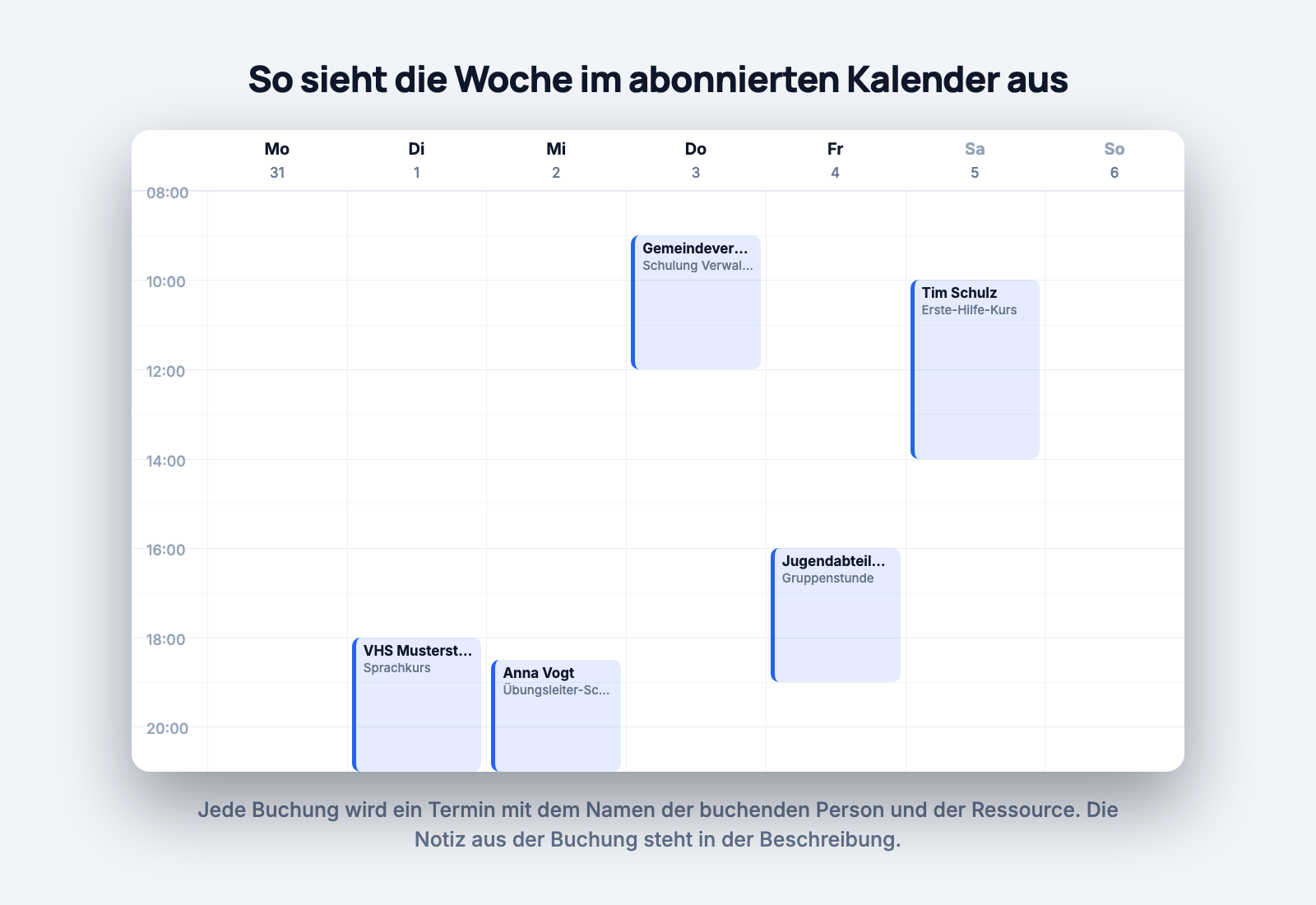
Confirmed bookings appear as firm events. Requests still waiting for approval come in as tentative and are shown faded in many calendars. So you can see at a glance what is binding and what is still open. Declined and cancelled bookings do not show up at all.
The feed contains all future bookings plus the history of roughly the last 90 days. That is enough to look up who was out when over the past quarter, without flooding your calendar with years of leftovers.
The feed lives at a long random address and is deliberately reachable without a login; otherwise no calendar program could read it. Which means: anyone with the link sees this resource's bookings, including names and notes.
So treat it like a password. It belongs in the calendars of the people responsible, not on a public notice board and not in a newsletter.
If the link does end up somewhere it should not be, there is Reset link. Dispoly then generates a new address and the old one stops working immediately. The price: every existing subscriber has to enter the new link. If you want to switch the feed off entirely, there is Disable feed; after that the address is dead and subscribed calendars no longer receive updates.
Because the notes from bookings travel along, it is worth a brief thought about what gets written in there. For details on which data a booking involves in the first place, there is a separate post on booking data and GDPR.
A calendar subscription takes five minutes to set up and is never a topic again. Two things matter: the feed only goes one way, and how quickly it refreshes is decided by your calendar. Know that, and you get exactly what was missing, namely the bookings in the place everyone already looks.
And the question of whether the minibus is free right now is still answered reliably by the booking page itself. Why it is always right is covered in avoiding double bookings, and how to put it directly on your website in embedding the booking page. If your bookings still live in Excel, the move is covered in from Excel to a booking calendar.
Trying it costs nothing: no contract, no setup fee, 30 days free.